Documentation
blog/double-nested-thilll/3rd-level-nesting/new-folder/new-file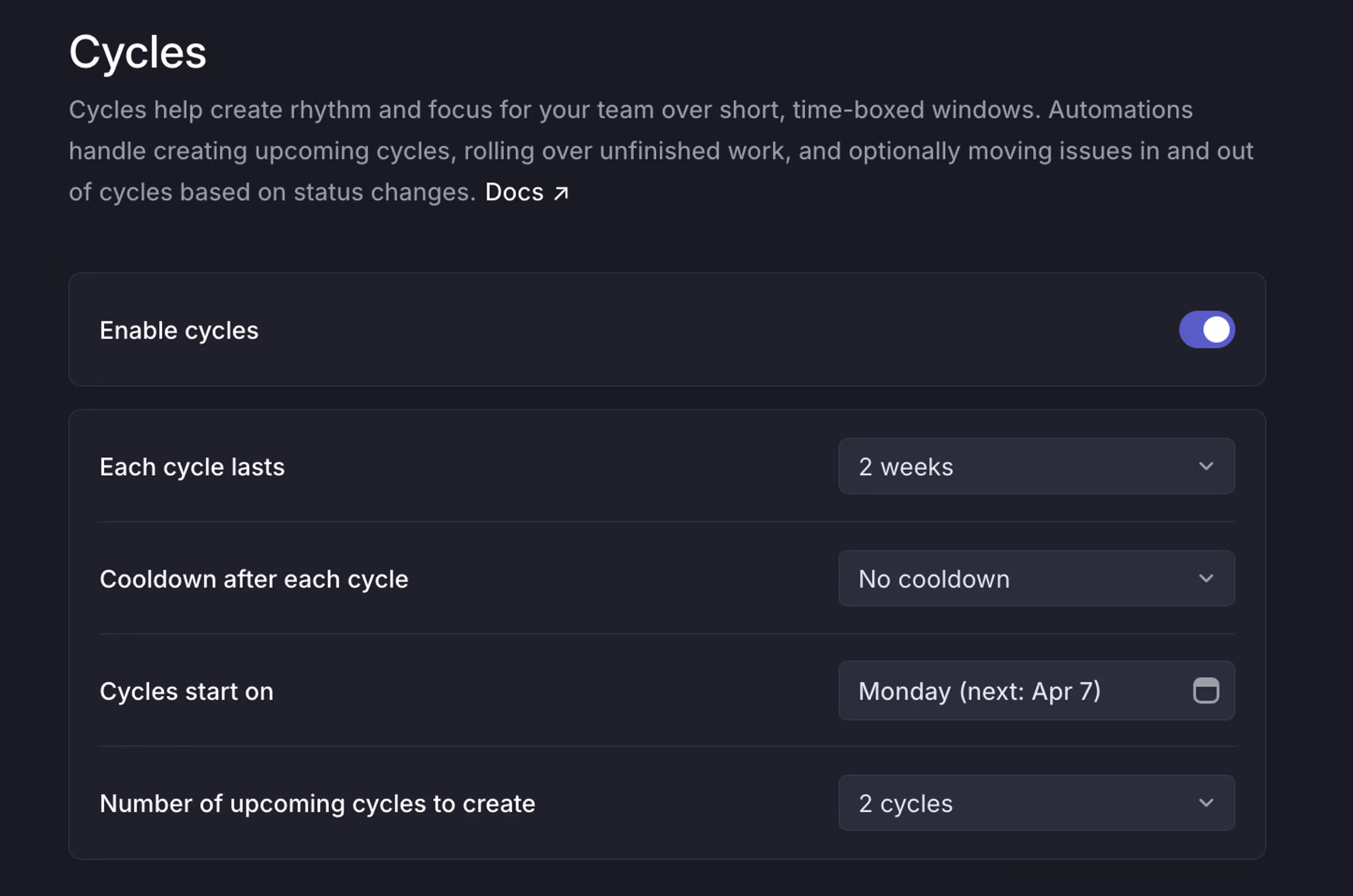
Cycle duration
In the Each cycle lasts field, select the number of weeks you want each cycle to last. Cycles can last anywhere from 1-8 weeks. It is not possible to create cycles with different durations or to start or end on specific dates. The goal of cycles having repeated intervals is to help you avoid the busywork associated with optimizing cycle timing and instead focus on shipping.
Cooldowns after each cycle
Including a cooldown period after each cycle to give your team a break and bandwidth to work through technical debt and other planning functions. Issues cannot be assigned to a cooldown.
Starting day of the week
Since cycles occur in regular intervals, you’ll choose a specific day of the week for your cycles to start. Cycles begin at 12:01 AM on the chosen day based on the timezone configured in Team Settings > General.
Upcoming cycles
Select the number of future cycles to create so your team can assign issues to future cycles. The maximum number of futures that can be created is 15.
Disable cycles
When disabling the Cycles feature, the current cycle will be marked as completed and upcoming cycles will be removed. Any completed cycle data will be preserved for reference. You can choose to reenable cycles at any stage in the future.
Adjust cycles
Move start and end dates
In cases where a future cycle should deviate from the schedule, its start and end dates may be moved through the overflow menu on that cycle.

Past cycle dates cannot be changed, but you can end your current cycle at the end of the current day if needed.
Start a cycle today
If you need to kick off the next cycle early, you can start it immediately instead of waiting for its scheduled date. From the Cycles page, click on the overflow menu (…) on the next cycle and choose Start cycle today.
This starts the next cycle at 12:01am on that day, using your team’s timezone. You will see a pop up warning to confirm that you are happy to make this change.
If a cycle is currently in progress, we’ll mark it complete right away and move any open issues into the cycle you just started. If there isn’t an active cycle, this ends the previous cycle’s cooldown.
Please note, once you change the start date of the cycle you cannot revert this change.